
Progress and History
How Suwatte records your position, where your history is, and what goes up to a server or a source.
Suwatte records your position in each title that you read.
What the app records
- The chapter that you read last, and your position in it.
- A reading session, with the time and the length.
- A panel bookmark, if you made one.
This data syncs between your devices through iCloud. It is also in a backup.
History
The Activity tab shows what you read. It holds your sessions and your recaps.
To select the first sub-tab, go to Settings → Reading → Startup & Activity → Open Activity To.
Recap Source Tap on the same page controls what happens when you touch a source in a recap.
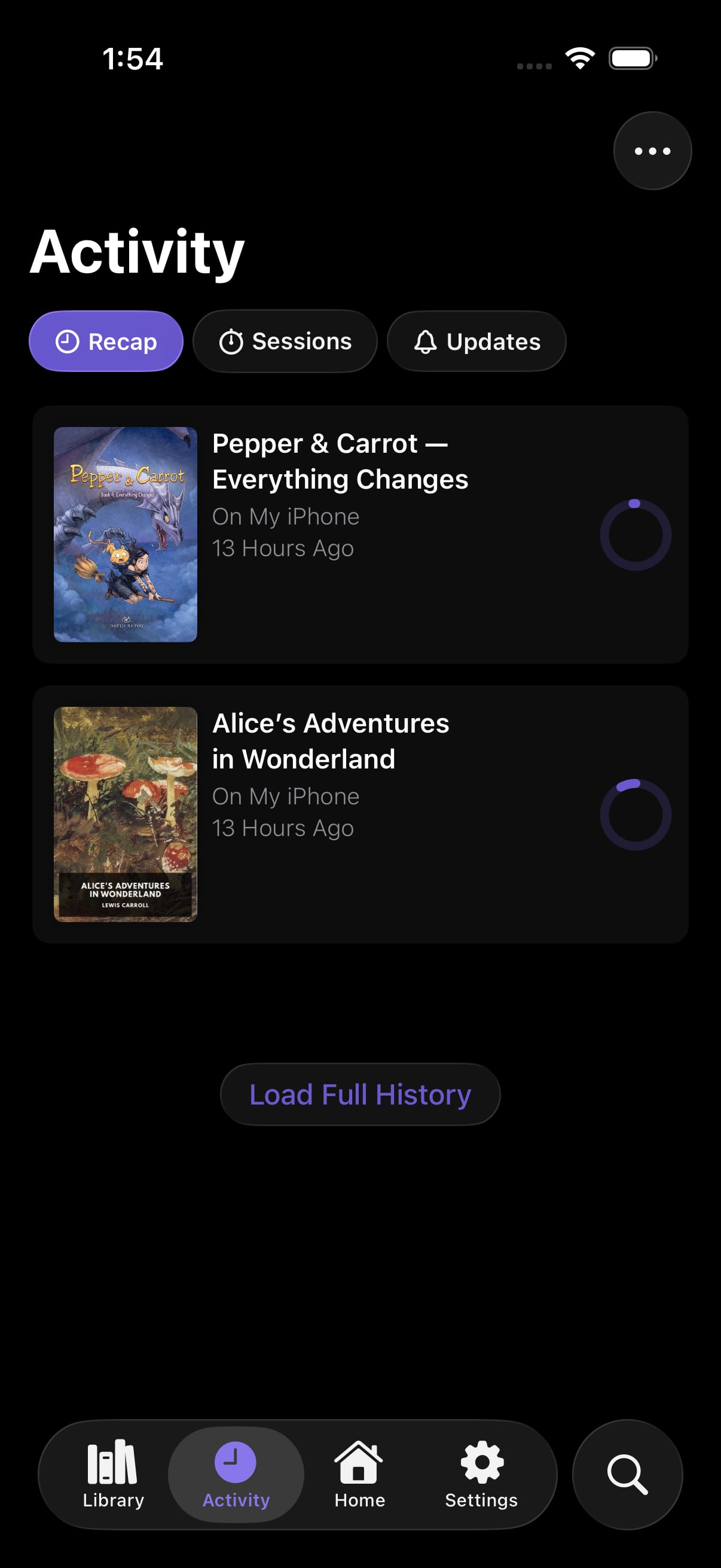 Recap
Recap
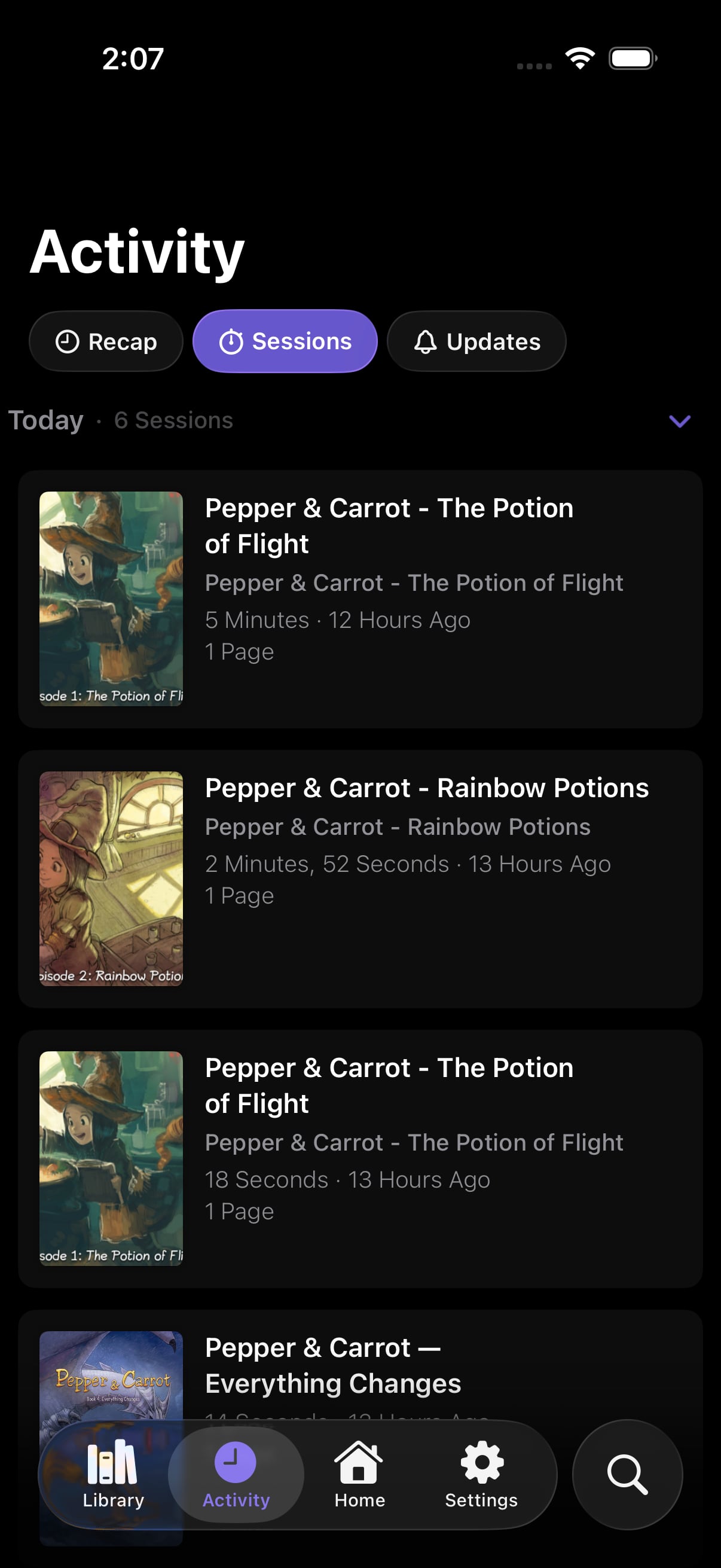 Sessions
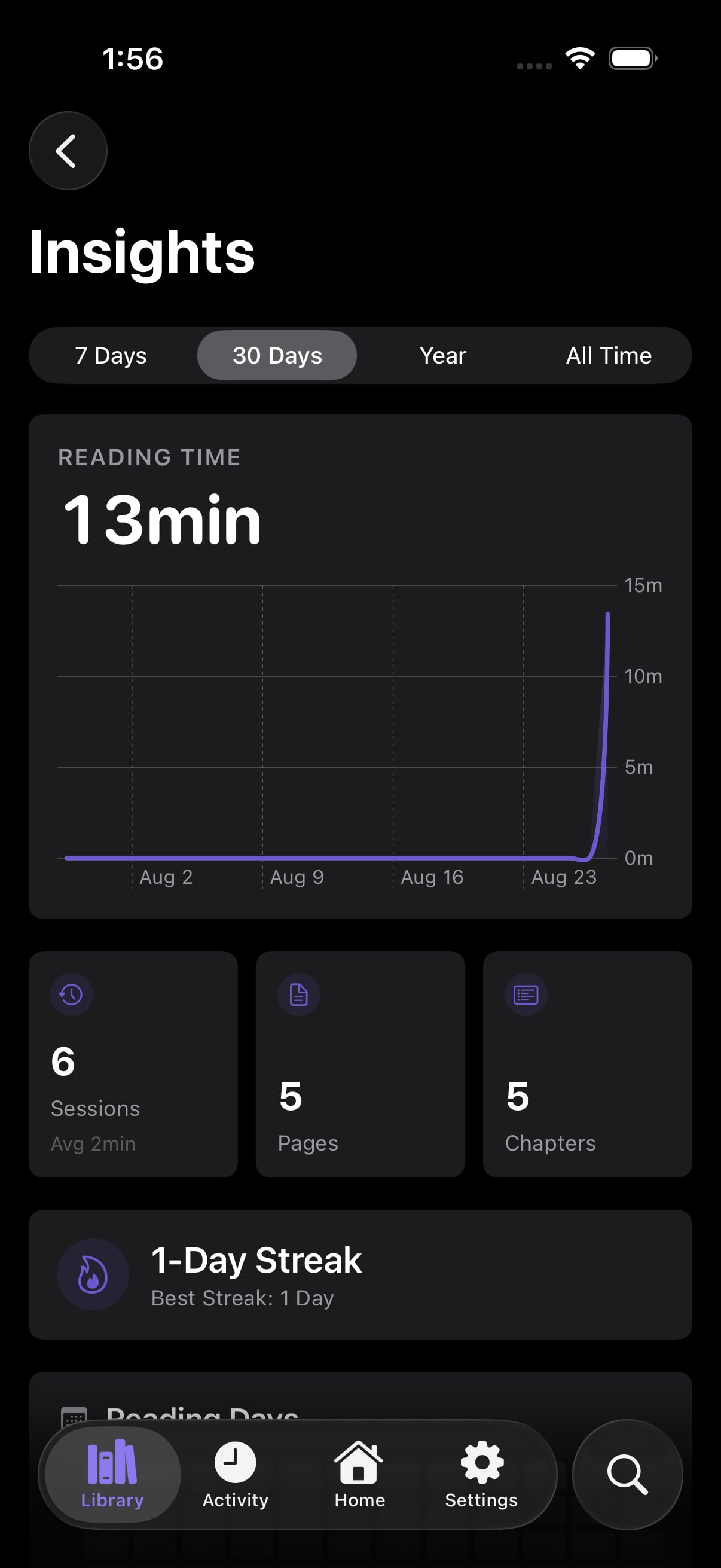 Insights
Panel bookmarks
A bookmark keeps one page of a chapter. Use it for a page that you want to see again.
Suwatte already records your last position on its own. You do not need a bookmark for that.
Progress goes up
Suwatte sends your position to two kinds of destination.
Servers. A Komga or a Kavita server that supports progress sync gets your position. A durable queue holds each update until the server accepts it.
Sources. A source that supports progress sync writes your position to the account that you hold on the site that it reads.
Clear your history
You can clear your history. If a source supports progress sync, Suwatte also clears the progress that it recorded on the server. The two sides then agree.
Trackers
Suwatte has no tracker of its own. A source declares the trackers that it knows with its
endpoint values.
Suwatte matches your titles to those trackers. It uses the same identifiers to suggest Linked Titles in your library.
If a source does not support progress sync, your progress in that title stays on your devices.
Incognito Mode
Settings → Content Settings → Incognito Mode stops Suwatte from writing progress. Nothing is written, so nothing syncs and nothing goes up.