
Reading Modes
The four ways that Suwatte arranges a chapter, how it selects one, and how to change it.
A reading mode sets the arrangement of the pages of a chapter. It also sets the direction that you move through them. There are four modes.
The modes
Paged Manga
Separate pages, read from right to left. Page 1 is on the right. You move to the left. Manga is printed in this direction, and this mode is the default for a manga title.
Paged Comic
Separate pages, read from left to right. This is the western direction, and the default for a comic.
Paged Vertical
Separate pages. You move down to go to the next page. Each page is still a separate page.
Vertical
One continuous strip with no page breaks. You scroll down. A webtoon and most manhwa are drawn for this mode, because the art often continues across a page break.
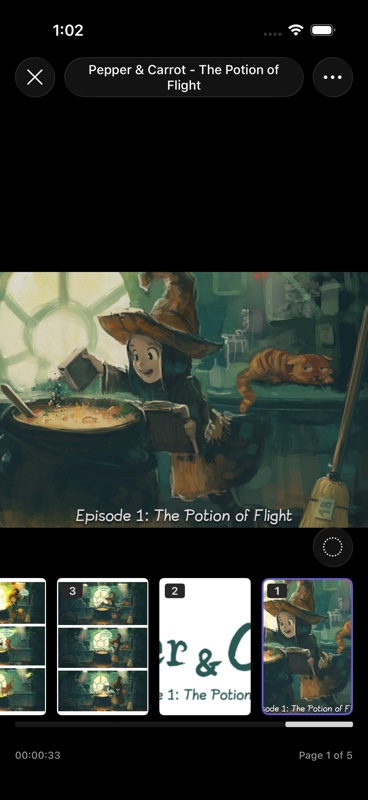 Paged Manga
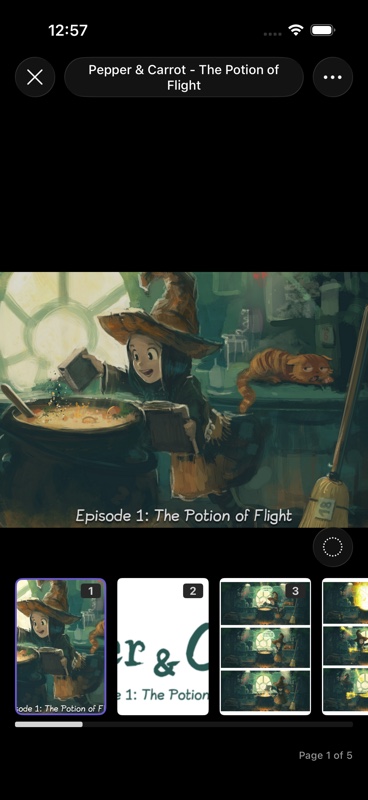 Paged Comic
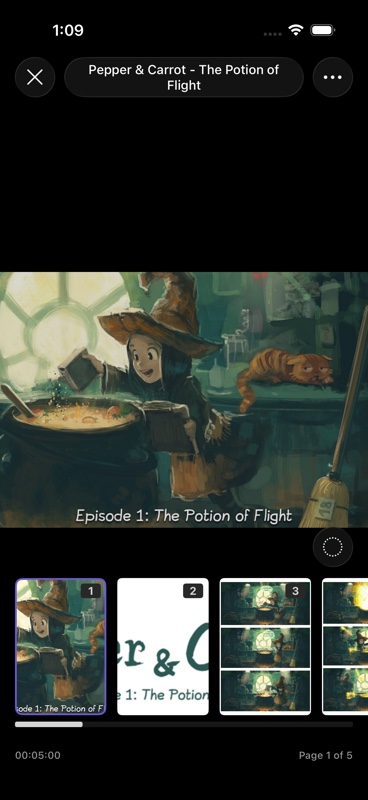 Paged Vertical
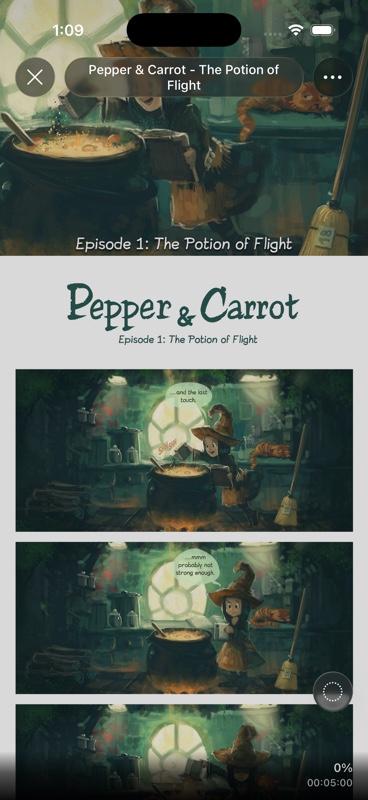 Vertical
How Suwatte selects a mode
When you open a title the first time, Suwatte decides in this sequence:
- The source. A source can declare a reading mode for a title. This value wins.
- The tags. If the source declared no mode, Suwatte reads the genre tags and the property tags. A tag such as webtoon, long strip, manhwa or manhua selects Vertical.
- The content type. Manga selects Paged Manga. Manhwa and manhua select Vertical. Comic selects Paged Comic.
Change the mode
Change the mode in the settings menu of the reader. Suwatte keeps your value for that title.
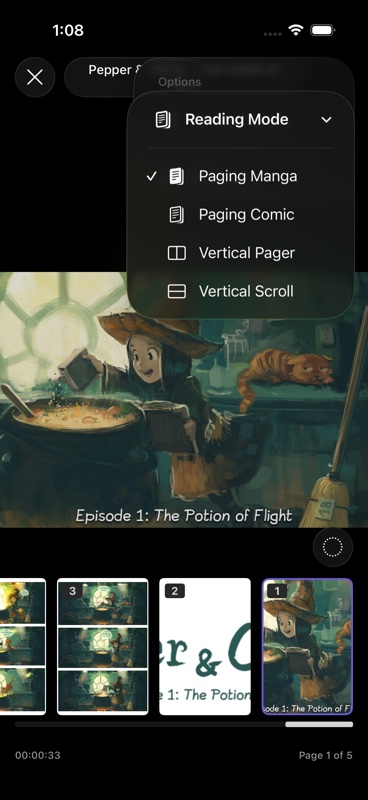
To use one mode for all titles, set a default in Settings → Reading → Reader Settings. Then turn Prefer Default Reading Mode on.
Novels and PDFs
An EPUB file and a PDF file do not use these modes. They have their own reader with its own controls. See Novels and PDFs.